AI Planner
Drop in a room.
Get three furnished concepts in under a minute.
Drop a photo or floor plan
JPG, PNG, or PDF up to 20 MB. Best results with one straight-on wall shot.
How a session works
- 01Upload your room — we detect walls, windows, and dimensions.
- 02Pick a style (or let the AI choose). Add a mood note if you like.
- 03Receive three concepts. Refine, swap pieces, or fork into a new style.
- 04Save, share, or order the furniture in one click.
Before → after, from real uploads.
All examples →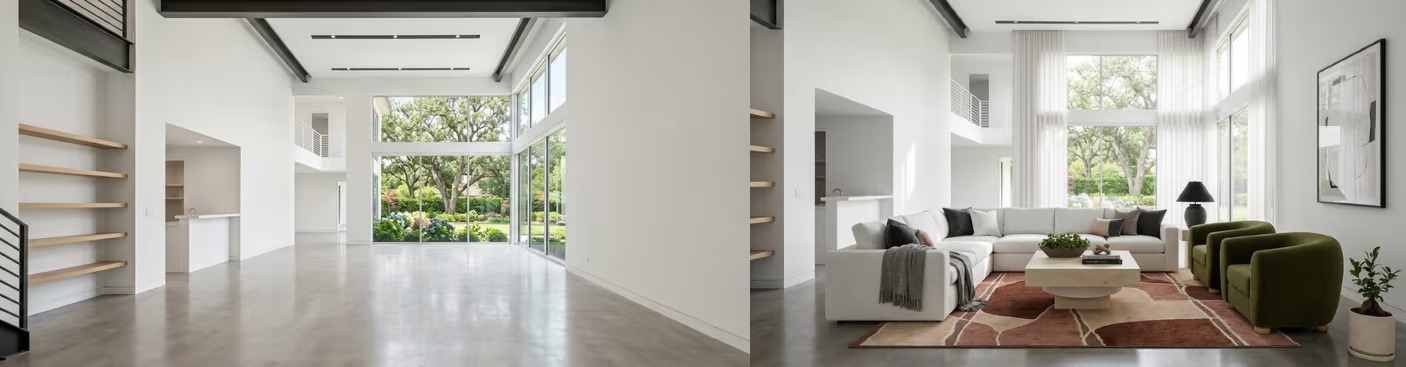
Empty studio · Lisbon
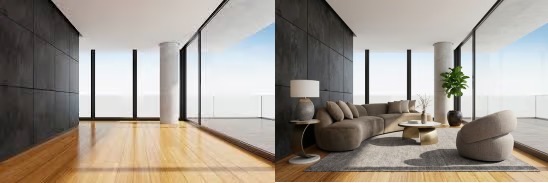
Family living room · Oslo

Loft kitchen · Antwerp
A quiet toolkit, doing serious work.
Every feature is built around the way real interior decisions get made — slowly, by feel, with second-guessing welcomed.
Spatial reasoning
Knows where a sofa won't fit.
Light-aware palettes
Picks colors that work with your windows.
Variation slider
Less surprise, or more — your call.
Annotations
Leave notes on any wall, any piece.
median time from upload to first render
concepts generated per session
of users keep at least one piece from the render
rooms rendered since launch
Pick a starting style.
Choose one or let the AI suggest two more once it has read the room.
Mood notes that worked
Real prompts, real rooms.
"A quiet writer's room — north light, one chair I'd actually sit in for three hours."
"Family dining for six, low table, no glass, kids welcome."
"Loft office, walnut + brass, dark on dark but not gloomy."
"Coastal guest room, linen everywhere, one painting."
"Kitchen that hides — minimal handles, plaster walls, one shelf of ceramics."
"Reading nook under the stairs, warm, womb-like."
vs. the old way
A weekend, not a quarter.
Traditional interior projects cost time you don't have and reveal trade-offs only at the end. The Planner front-loads the surprises.
Works with
Drop in from where you already work.
Import a board, we'll respect your palette.
Figma
Push room moodboards straight from a frame.
Notion
Embed live renders into your project doc.
Dropbox
Sync source photos and floor plans automatically.
Magicplan
Pull room dimensions from your scan app.
Adobe CC
Open exports in Photoshop with named layers.
Google Drive
Share renders via signed links, no signup needed.
Apple Photos
iCloud-aware uploads from iPhone & Mac.
Designers who actually use it.
"I used to spend a week on first-pass moodboards. Now I bring three to the kickoff meeting and we argue about the right one."
"We renovated a 1920s flat without ever hiring a designer. The Planner caught a layout mistake our contractor missed."
"The variation slider is our secret weapon — clients finally understand what 'more wood, less metal' means visually."
Starter credits, on the house.
3 free renders for new accounts. Then €0.10 per credit, never expires.
FAQ
What file types can I upload?+
JPG, PNG, HEIC, or PDF floor plans up to 20 MB. Multi-page PDFs are fine — we'll use the first page by default.
Can I edit a generated design?+
Yes — every render is editable in our composer. Swap pieces, change materials, annotate walls, fork in a new style without losing your original.
Do credits expire?+
Never. They live in your account until you spend them.
Will my photos be used to train the model?+
No. Your uploads stay private to your workspace. We retrain on our own licensed dataset only.
Can I export to my own tools?+
DXF, OBJ, GLB and a layered PSD are one click away — and our Figma plugin pulls renders straight into a frame.